smartphone-feature
SMARTPHONE FEATURES

Your Vehicle Always in Your Pocket

Elevate your drive into a smart, connected lifestyle with Suzuki Connect, powered by
an advanced telematics solution that brings your car and your world together with a single tap.
Safety & Security
/adobe/assets/urn:aaid:aem:2cc77a44-8617-4e28-8508-b4a8bdbd0f24/as/safetysecurity1.png?height=401&width=664
safety-security
Emergency Alerts
In the event of airbags being deployed, registered emergency contacts will be notified through SMS and Email.
Safety & Security
/adobe/assets/urn:aaid:aem:beecba58-7313-4459-a901-1c1592b11441/as/safetysecurity2.png?height=401&width=664
safety-security
Tow Away Alert
In case your vehicle is towed away, an alert will be sent to your phone and your emergency contacts.
Safety & Security
/adobe/assets/urn:aaid:aem:55e24a81-3f40-433a-8104-68b41012d377/as/Safety_Security-3-desktop.png?height=401&width=664
Geofence
Geofence
Get notified if your car enters or exits the virtual boundary that is set by you.
Remote Operations
/adobe/assets/urn:aaid:aem:13a124dd-ca16-4533-87d5-8e531e86d6c2/as/RemoteOperations1_desk.png?height=401&width=664
image
Remote Hazard
Easily locate your Maruti Suzuki vehicle in a crowded parking space without facing any difficulty.
Remote Operations
/adobe/assets/urn:aaid:aem:b31229c1-1513-4196-8910-0da45984d1c3/as/RemoteOperations2_desk.png?height=401&width=664
image
Remote Immobilizer Request
In the case of a break-in, remotely prohibit the engine restart, restricting any further movement of your car.
Vehicle Status & Alerts
/adobe/assets/urn:aaid:aem:84143b20-6d33-44f8-ba81-c766cbd5bda6/as/Vehicle-Status-1-desktop.png?height=401&width=664
image2
Overspeed Alert
Get notified on your device in case your car crosses the threshold speed limit that is set by you.
Vehicle Status & Alerts
/adobe/assets/urn:aaid:aem:6f55b54f-7e48-458c-9554-d5a0befe5b18/as/Vehicle-Status-2-Desktop.png?height=401&width=664
image
Low Fuel Alert
Get notified on low fuel once the fuel level has gone below the set low fuel value level set by you.
Vehicle Status & Alerts
/adobe/assets/urn:aaid:aem:1e343f1b-9f2d-41d5-914d-727c4749d05f/as/Vehicle-Status-3-desktop.png?height=401&width=664
Vehicle Status & Alerts
Head Lamp
Get alerted in case you forget to turn off the headlamp after putting the ignition off.
Driver Behavior
/adobe/assets/urn:aaid:aem:4f525eb6-d91d-4673-b13b-f00c2eb65197/as/Driverbehavior1_desk.png?height=401&width=664
image
Trip history
Share your trip statistics on social media and messaging apps with family and friends.
Driver Behavior
/adobe/assets/urn:aaid:aem:3ad6457b-5d88-4cbe-967f-cbcc499449ae/as/Driverbehavior2_desk.png?height=401&width=664
image
Driving Score
Allowing you to analyse your driving skills through a score (out of 100) based on multiple parameters.
Driver Behavior
/adobe/assets/urn:aaid:aem:b5a8c77b-842c-40a4-b533-083dfe6a83f3/as/Driver-Behaviour.png?height=401&width=664
Driver Behavior
Navigate to car
Easily navigate your Maruti Suzuki vehicle and never be lost or out of touch with your car again.
Connected Head Unit
/adobe/assets/urn:aaid:aem:213c1229-c6e7-47ff-8bd0-a8160e8ad839/as/Connected-Service-1-desktop.png?height=401&width=664
image
Send to Car & Send Trip to Car
Share a location or trip from the Suzuki Connect App to the vehicle’s head unit and navigate using Suzuki Navigation App.
Connected Head Unit
/adobe/assets/urn:aaid:aem:9e4f8ea6-54e0-451d-960d-85d9ea13aed3/as/Connected-Head-2-dektop.png?height=401&width=664
image
Multimedia Plan
View the data plan details of the head unit in the Suzuki Connect App.
Connected Head Unit
/adobe/assets/urn:aaid:aem:f7f48543-1f07-4d1d-b1d8-403d1f9f9d00/as/Connected-Head-Unit---3-desktop.png?height=401&width=664
Connected Head Unit 3
Stop / Resume Connected Services
The information on the Suzuki Connect App can be stopped / resumed from the vehicle’s head unit.
Electric Vehicle
/adobe/assets/urn:aaid:aem:5f2a6f87-6458-46b9-8104-43a34ce0a9f8/as/Electricvehicle1_desk.png?height=401&width=664
image2
Remote & Schedule Charging
Start charging remotely or set a charging schedule from the Suzuki Connect App—so you’re always in control.
Electric Vehicle
/adobe/assets/urn:aaid:aem:7b185efd-fc6b-4e5b-98d3-cabab0bb1815/as/Electricvehicle2_desk.png?height=401&width=664
image2
Charging Station Search
Find the nearest charging station from the Suzuki Connect App and plan your next top-up.
Electric Vehicle
/adobe/assets/urn:aaid:aem:340e42fe-e8f8-4cbe-aeeb-fbaefe645f60/as/Electric-Vehicle-3-desktop.png?height=401&width=664
/adobe/assets/urn:aaid:aem:e38c70aa-f023-4189-a532-4f931fd253de/as/Electric-Vehicle-3-mob.png?height=184&width=294
Real-time Charging Status & Notification
Monitor your EV’s charging progress with real-time updates of battery percentage, charging completion time, charging interrupt and low battery notification.
parallax-slider
SMARTWATCH FEATURES
Seamless Connectivity Through
Your Smartwatch
Overspeed Alert Indication
Set a threshold safety speed and immediately get notified if your car crosses the speed.
/adobe/assets/urn:aaid:aem:cf982228-9eef-4b02-9679-a66c35e225ff/as/Smart-Watch---desk.png?height=267&width=230
smart-watch1
Remote Operations
Take quick actions like buzzer on/off and instant geofence alerts while staying updated on your vehicle's battery status at a glance
/adobe/assets/urn:aaid:aem:e85a79f2-9264-4142-bdf3-0a2b28d088de/as/SmartWatch2_desk.png?height=267&width=230
smart-watch1
Other Vehicle Alerts
In the event of airbags being deployed, registered emergency contacts will be notified through SMS and Email
/adobe/assets/urn:aaid:aem:09f15fa2-ddcc-4d66-a908-0fed57030b37/as/SmartWatch3_desk.png?height=267&width=230
smart-watch1
discover-nexa
DISCOVER
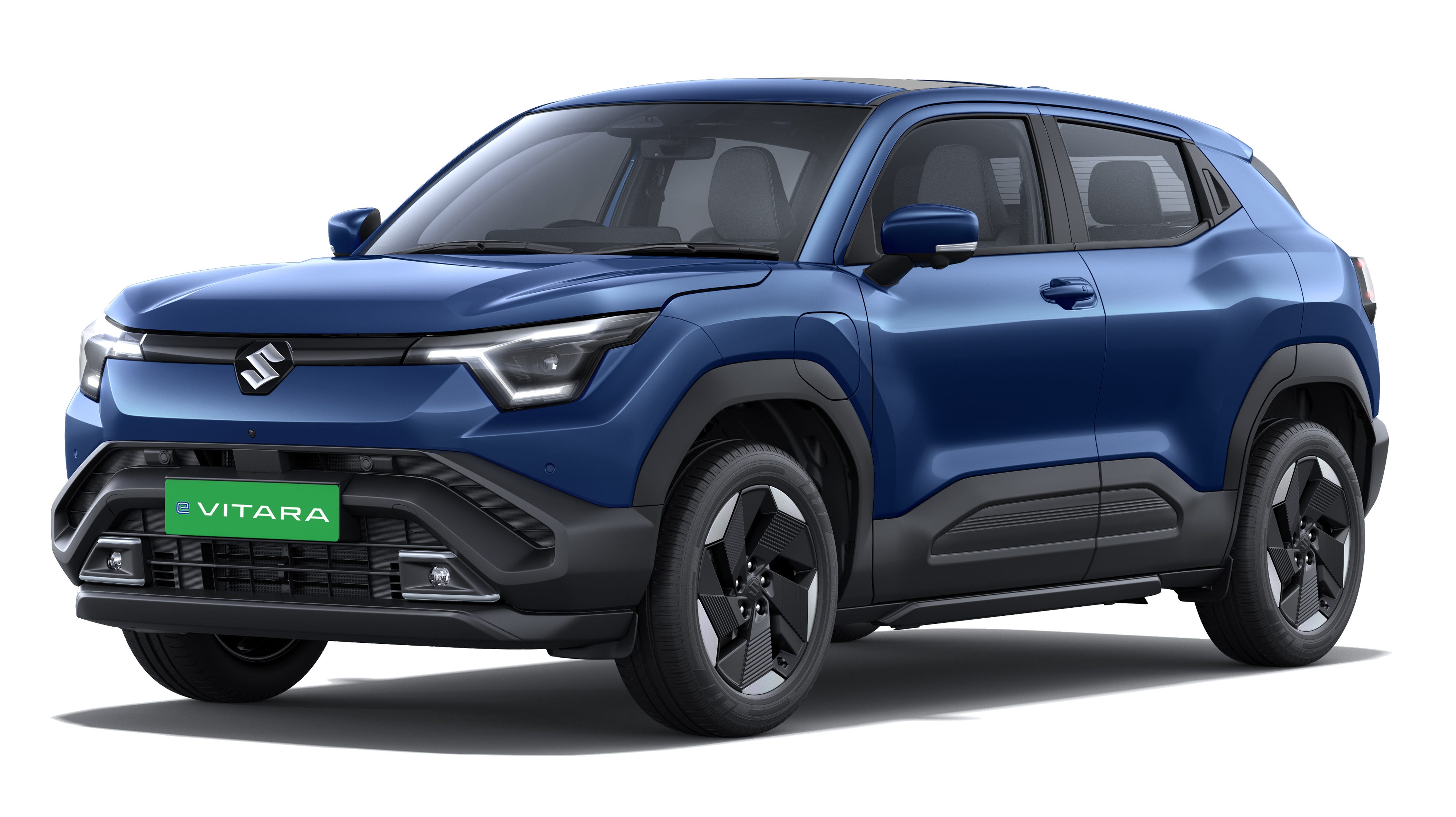
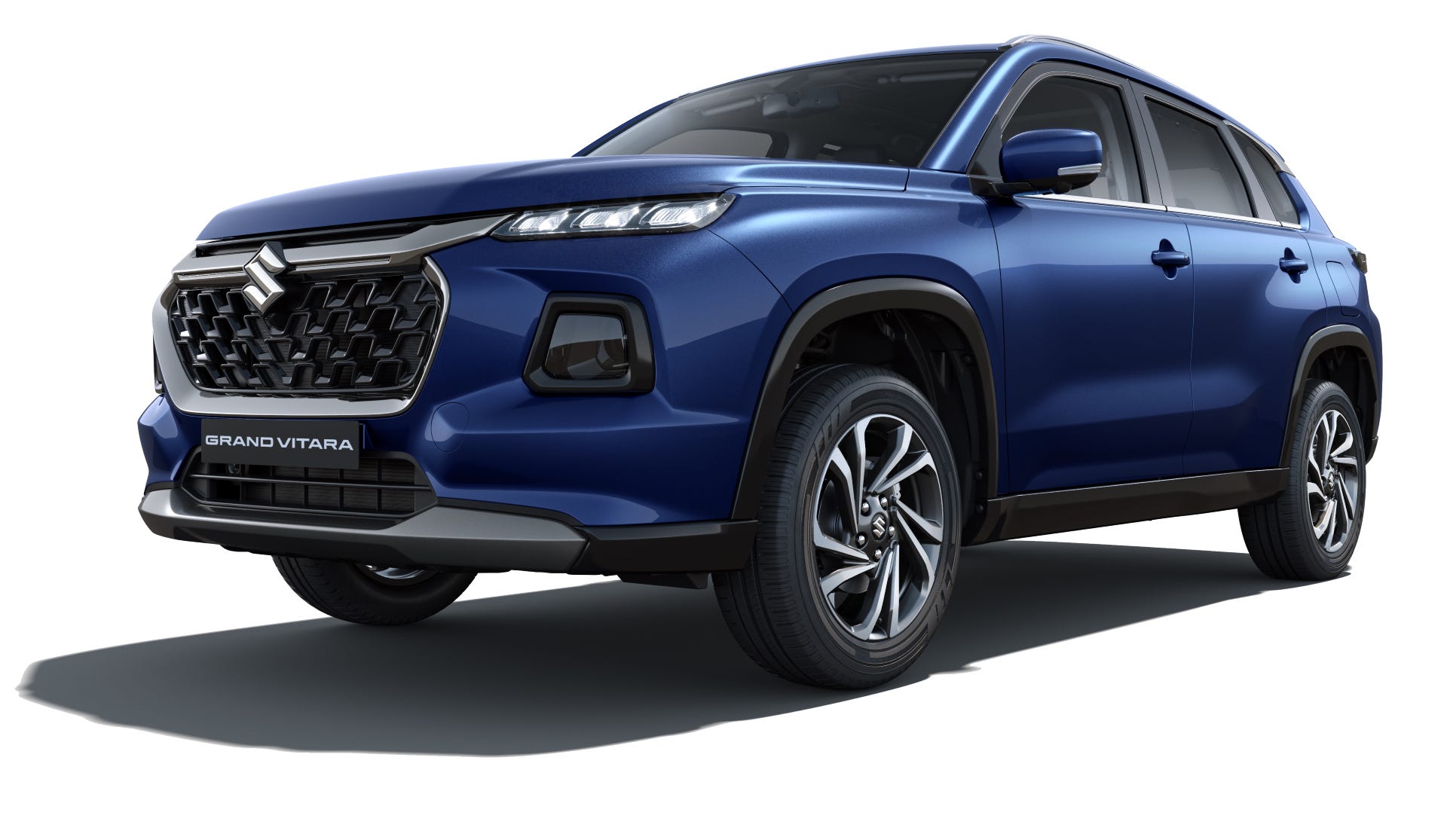
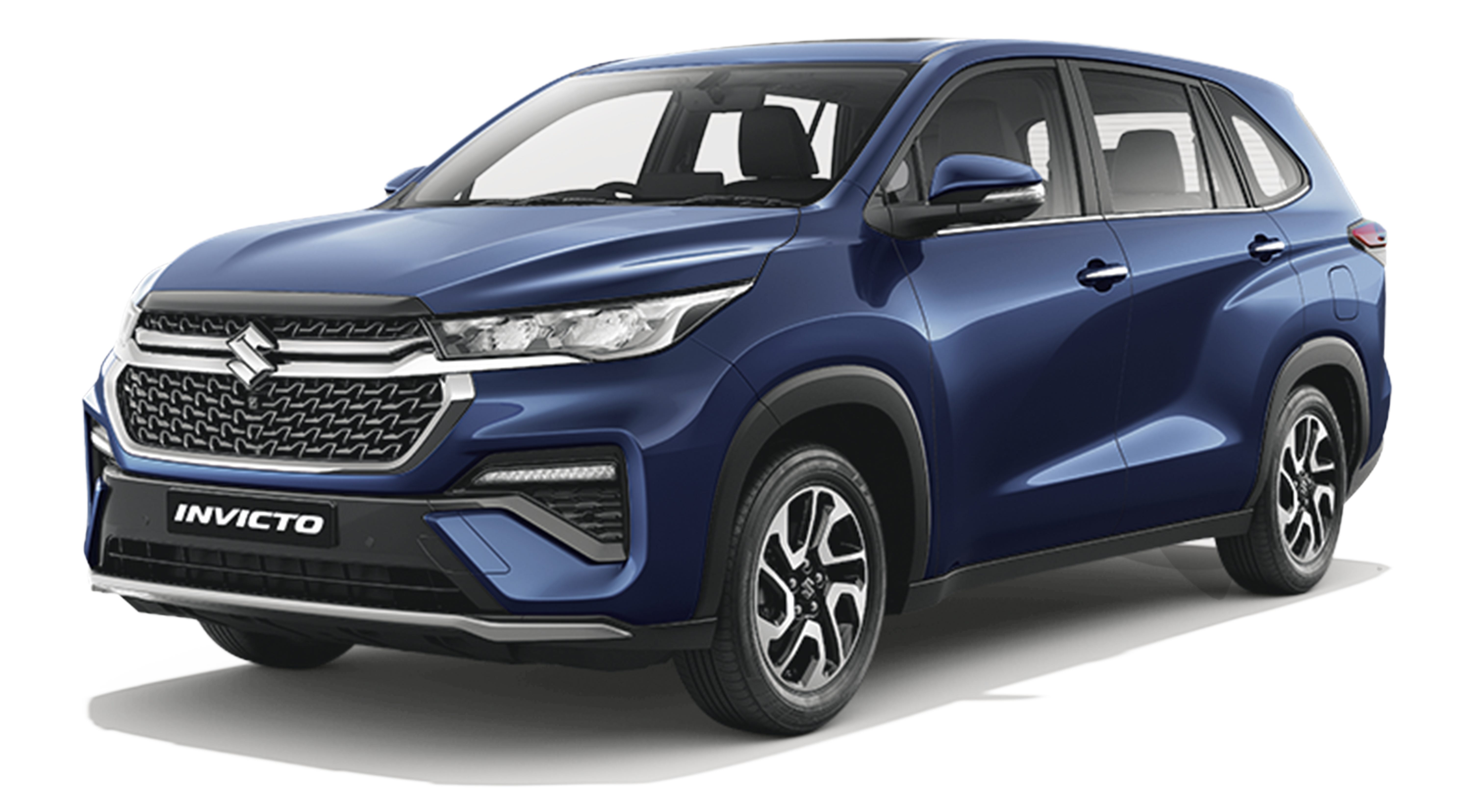
Compatible Models with Suzuki Connect
nexa logo
Arena-logo
Learn More
Engine
Power
Mileage
none
Engine
Engine
Get the Latest Price Details
/adobe/assets/urn:aaid:aem:844347bd-6a14-4be6-8d6f-48bfcf8d46d0/as/grey-background.jpg?height=1200&width=1920
onroad image

Know Price

Share your details to receive accurate pricing tailored to your selected model.
Name
Name*
Email
Email*
Mobile
Mobile*
Send OTP
I agree that by clicking the ‘Submit’ button below, I am explicitly soliciting a call and message via whatsapp or any other medium from Maruti Suzuki India Ltd or its partners on my ‘Mobile’.
Submit
/adobe/assets/urn:aaid:aem:da5613cd-ab96-4010-a5bf-ffa9f72206eb/as/onroadbackground-image.png?height=1200&width=1200
Evolve to a connected lifestyle with Suzuki Connect
Suzuki connect device is available across all Maruti Suzuki showrooms with free subscription for 3 years. Enjoy a more connected driving experience with over 60+ smart features and also available as an accessory
3Year Subscription
Enhance your car with OEM approved accessories designed to work seamlessly.
  • Access to 60+ smartphone features
  • Smartwatch & Alexa compatibility
Subscribe Now
View All plans
Suzuki Connect Subscription
Unlock connected features for the next 3 years by simply entering your phone number and verifying it.
Enter Mobile Number*
Send OTP
Phone number is required
Please enter a valid mobile number
Back
Enter OTP
Enter the 6-digit OTP sent to your mobile number to continue with your subscription.
Resend OTP
Please select the vehicle for which Suzuki Connect subscription is to be renewed.
I agree that by clicking the Submit button I am explicitly soliciting a call and message via WhatsApp or any other medium from Maruti Suzuki India Ltd or its partners on my Mobile.
Continue
Please confirm your details
User Details
Dealer Details
Name
Mobile*
Email*
Vehicle Registration Number
Chassis Number
Select Subscription*
State
City
Select Dealer*
Submit
Thank you!
Your Subscription has been done successfully and you will receive your invoice on your email.
Invoice Number:
Transaction ID:
Amount:
Download Invoice
/adobe/assets/urn:aaid:aem:86ec4a18-4ee6-4453-8e7b-f4792aa9f964/as/subscribe-banner-desktop.png?height=1302&width=3434
/adobe/assets/urn:aaid:aem:fcb03ac8-bf5a-4d3f-9867-01f742c26927/as/subscribe-banner-mobile.png?height=344&width=374
/adobe/assets/urn:aaid:aem:29942ff0-8492-4192-aa1e-98d0755e7f32/as/suzuki-hero.png?height=1288&width=2244
Subscription Plans
PLAN 1
Enhance your car with OEM approved accessories designed to work seamlessly.
1 YEAR
₹2899 Onwards
PLAN 2
Enhance your car with OEM approved accessories designed to work seamlessly.
2 YEAR
₹5299 Onwards
PLAN 3
Enhance your car with OEM approved accessories designed to work seamlessly.
3 YEAR
₹7799 Onwards
No Records Found!
Your mobile number is not registered with Maruti Suzuki India Limited. Please contact nearest Authorized Maruti Suzuki Dealer to update your records.
₹7799 Onwards

More Ways To Get The Most Out Of Suzuki Connect

false
COMPATIBLE DEVICE LIST

Check the full list of supported smartphones to ensure a smooth, lag-free experience to ensure your device works flawlessly with Suzuki Connect before you get started.

Check Device List

compatible
ACCESSORIES

Get the right dashboard setup and enhance your car with OEM approved accessories designed to work seamlessly with Suzuki Connect

Check Accessories

accessories
MANUAL

Access and download the Suzuki Connect manual anytime. A quick guide to help you understand troubleshooting, features & setup with zero guesswork.

Download Manual

/adobe/assets/urn:aaid:aem:88734126-32d4-43d5-b741-0d289d710499/as/Manual-Icon.svg
Register Your Interest
Fill in the below form and we will get back to you at the earliest.
Name
Name*
Email
Email*
Mobile
Mobile*
Send OTP
State
State*
City
City*
Dealer
Dealer*
Model
Model*
I agree that by clicking the ‘Submit’ button below, I am explicitly soliciting a call and message via whatsapp or any other medium from Maruti Suzuki India Ltd or its partners on my ‘Mobile’.
Submit
/adobe/assets/urn:aaid:aem:fe6f4ab0-69cd-4e30-9432-a1fd68e52720/as/modal-banner.png?height=349&width=707
ryi-form-id
FAQ
Need Further Answers ? We’re Here
General
What is the sign up process for Suzuki Connect App?
You have to provide your mobile number, which is the same you provided at the time of billing/purchase of your vehicle/Suzuki Connect device. In addition, you would require your vehicle reg. number or Vehicle Identification Number. You are required to first check the Terms & Conditions and then click 'Request OTP' to get OTP. Thereafter ‘Create Password’ screen will appear. Enter the OTP received on the registered mobile number and create a new password to complete the registration process.
General
I have not received my permanent vehicle registration number. How can I register for Suzuki Connect app?
Use VIN (Vehicle Identification Number) to sign up.
General
I have more than one car registered on same mobile number, should I do Sign up for all of them?
No, Sign up using a valid mobile number and any valid VIN. If more than one vehicle exists for that phone number, you can see all of them by clicking on 'Profile' button given on top left corner of home screen of Suzuki Connect app after successful Sign up.
General
Who is the service provider for this system? Will customer get a choice of service provider?
This system uses a renowned service provider. Customers will not be able to choose service provider on their ow
General
Can customer details be compromised?
Your data is absolutely safe and secure with our advanced security firewalls and safeguards.
General
Who are Emergency Contacts?
Family members and close friends of the primary user should be assigned as Emergency Contacts. The user can add up to a maximum of five emergency contacts with whom the user is comfortable sharing their vehicle's whereabouts
General
How many Emergency Contacts can be added?
You can add up to a maximum of 5 emergency contacts.
General
Is this unit connected to the car battery?
Yes, it is connected to the car battery.
General
If the battery drains, how does the device work?
The device needs to be connected to car battery at all times to function. In case of drainage, the device will resume functioning only after the battery is recharged.
General
Is Suzuki Connect SIM dependent, Phone dependent or User Login dependent?
This device comes with a smartphone App for the user. The App can be installed using login credentials. Hence, it is not SIM/Network dependent or Phone dependent
General
The minimum Operating System requirements for Suzuki Connect are?

Android Version: 7.0 and above

iOS Version: 15.0 and above

General
Can we export the information provided by the App outside the App?
No, all data will be saved and accessed through the App only.
General
Is the device associated with the VIN number and Chassis number?
Yes, it is associated with the VIN number and Chassis number of your vehicle.
General
What is the role of call centre in case of car assistance is required?
The users can connect to our call centre for any assistance they need for their vehicle or Suzuki Connect device or the App.
General
Can Non-Maruti Suzuki car user be made an Emergency Contact?
Yes, anybody from your friends and family can be assigned as Emergency Contact.
General
What facility will I get?

Suzuki Connect is a technology that integrates your car into your connected lifestyle. It provides you with near real-time information about your vehicle's location, driving diagnostics, performance & allows remote operations.

Note - Applicability of functions is dependent on vehicle configuration.

General
What are the safety benefits?
Suzuki Connect comes with a host of safety features, from tracking your car to geo-fencing. The device also sends preventive functional alerts & emergency notifications. Further, you can also track the live status of your car, diagnostics as well as its precise location.
General
Will I get updates if someone else is driving the Car?
Yes, you can track location, route and speed and other details of your car if someone else is driving it. Another feature of Intrusion Alert is introduced, when a vehicle is stolen user will get this alert.
General
Does Maruti Suzuki take any guarantee of my safety?
Suzuki Connect endeavours to empower you with all the relevant information about your vehicle. While some alerts and calls are made by Maruti Suzuki, further action on the same will be a choice made by the user.
General
What technology is Suzuki Connect using?
GNSS and GSM based connectivity solution.
General
If a customer gets transferred to a different city, will the KYC have to be filled again?
No, resubmission of KYC is not required.
General
Will the customer be able to view the App in SmartPlay Infotainment System when connected via Android Auto or Apple CarPlay?
No, the customer can view the App only on his/her Smartphone.
General
Will the system trigger the feature when vehicle is being serviced? Can the feature be turned off during service?
There will be no impact while the car is being serviced. Considering safety, user is requested not to use remote operations such as remote alarm on/ hazard light on/door lock etc while the vehicle is being serviced. Note - Remote function applicability is subject to vehicle configuration.
General
Can the user login from another mobile?
Yes. Suzuki Connect has no dependency on phone brands.
General
What happens if the car is stolen with the mobile still inside the car?
The car can still be tracked by logging into another phone (with eligible OS versions) through correct login details.
General
Will I be refunded in case I want to terminate the Suzuki Connect subscription?
No refund shall be provided in the event of termination of Suzuki Connect services.
General
Does the App always remain logged in?
Yes, as long as it is not logged out manually. Also, if it is not used by the user for a long time, he/she will be logged out for security concerns.
General
Will this device work on Mobile data or Wifi ?
The device has an in built SIM whose mobile data will be used for connectivity.
General
Can I use the device in such areas where there is no connectivity?
No, the device requires basic connectivity for proper functioning.
General
Will this services be available on roaming network?
Yes, services will be available subject to network conditions.
General
What if car has been sold - is it possible to delete data or disconnect account remotely?
No, data cannot be deleted remotely. It is the primary owner's responsibility to ensure account disconnection & data deletion
General
My vehicle has been stolen, what should I do?
Report stolen vehicle issue to police station & register FIR. In case your vehicle is equipped with remote immobilization functionality- with the FIR copy, you may give immobilization request through app or by calling customer care.
Note - Applicability of functions is dependent on vehicle configuration.
General
What is the difference between Suzuki Connect Accessory variant & vehicle integrated solution?
Few functions such as remote door lock, alarm on etc may not be present in the Accessory variant. In case your vehicle is not equipped with in-built Suzuki Connect, you may purchase the connected functionalities by purchasing Suzuki Connect from MSGA.
General
My login credentials have been compromised, what should I do?
Kindly contact Maruti Suzuki customer care.
Alternatively, you can change password by clicking on ‘Forgot Password?. Clicking on the same sends an OTP (additional security layer restricting unauthorized login) to the registered mobile number of user. If the user enters the right OTP and successfully changes password, automatically other logged in sessions will be logged out.
General
Can I switch off the telematics Unit?
No, the unit cannot be switched off.
General
Does the unit require service and maintenance?
No, it doesn’t require any service or maintenance.
General
Where is the data stored?
All the data is stored on MSIL servers.
General
We operate with a specific service provider, what happens if we go to another area where the same service provider is not present?
The device works similar to a mobile phone.
Enrolment & Activation
I have purchased the vehicle, how can I see its details on Suzuki Connect?

If your vehicle is equipped with Suzuki Connect, follow below steps to see the vehicle details on App:

  1. Download Suzuki Connect App from Google Play/ App Store
  2. Complete the sign up with your registered mobile number which is linked to your vehicle
  3. You will be able to see your vehicle after login, enter the chassis number to complete the validation, set the 4-digit mPIN and use the connected features
  4. If you cannot see your vehicle after login, tap on 'Add Vehicle' button, enter the chassis number to complete the validation, set the 4-digit mPIN to see your vehicle details and use the connected features.
Enrolment & Activation
I have signed up on Suzuki Connect but cannot see my vehicle. What should I do?

If you cannot see your vehicle, it can be due to any of the below reasons:

  1. Ensure your vehicle has Suzuki Connect. It comes in select variants and models. To check if your vehicle has Suzuki Connect, please visit the vehicle brochure.
  2. Please ensure to sign up with the same registered mobile number which you have provided during vehicle purchase. It should be linked to your vehicle.
  3. Try to add the vehicle manually by following the steps guided on App.
  4. If you have completed the enrolment and vehicle has been added in your profile, you may need to turn on the vehicle ignition at good network area. Wait for some time and you should be able to see the vehicle details on App.
  5. If the issue persists, please check with MSIL authorised dealership
Enrolment & Activation
Where can I find the chassis number to complete the validation?
Chassis number (VIN- 17 digit) is available on RC, vehicle invoice and near the driver door area (varies as per model) Example - MH123456789012345
Enrolment & Activation
I have more than one vehicle, can I add all the vehicles on App?
Yes, you can add all your Maruti Suzuki connected vehicles equipped with Suzuki Connect on same App. All your connected vehicles are available in profile section and can be selected to see the details.
Enrolment & Activation
Can the same customer shift an installed device from one car to another car?
It can't be done. The device is paired to a car. It is not permitted to swap the device from one car to another car.
Enrolment & Activation
At the time of resale, can the new purchaser demand the data stored in the device pertaining to the previous owner?
No, the previous owner's data cannot be shared with the new owner. It is the responsibility of the previous owner to complete all the formalities pertaining to transfer of ownership before the sale of vehicle.
Enrolment & Activation
How can the customer deactivate the device especially at the time of resale?
The customer has to visit to the nearby dealership/workshop & complete all the formalities in order to deactivate the device.
Enrolment & Activation
What is the process of download and installation of Suzuki Connect?
Suzuki Connect can be downloaded from Google Play & Apple Store
Enrolment & Activation
Does the App require data connection?
Yes, you need a working data connection for the App to work and to provide you accurate information on near real-time basis.
Enrolment & Activation
Does the App require any other App to be pre-installed for it to work?
No it doesn't require any other App for it to work.
Enrolment & Activation
How is the App updated?
It can be updated through the Google Play Store & the Apple App Store like other mobile apps
Enrolment & Activation
If we deactivate the device, will the old data get deleted from the server?
Old data cannot be accessed after deactivation of device.
Enrolment & Activation
If we do not renew the device, will the data get deleted from the server?
No, it won’t get deleted.
Enrolment & Activation
On which number will the customer receive the SMS?
The customer will receive the SMS on their registered mobile no
Enrolment & Activation
What kind of software and network do I need in my phone to use the App?
You will need any phone that has Android/iOS with compatible software version. You also need a working data connection in order to get information & alerts on your phone.
Enrolment & Activation
Can I create a new profile on the same number?
Yes, a user can register multiple units on the same number if they own more than one Maruti car
Enrolment & Activation
Does my vehicle have Suzuki Connect installed in it?
For checking applicability of Suzuki Connect in your vehicle, refer to Maruti Suzuki's official website. If your vehicle is not equipped with Suzuki Connect, you can experience connected features through Suzuki Connect available in MGA
Enrolment & Activation
Is there a subscription fee for availing the Suzuki Connect services?
Suzuki Connect services are available with a free subscription for three (3) years from the date of the vehicle sale date, if the telematics device is already installed/equipped in your vehicle. After the three (3)-year free subscription period ends, you will have to pay a subscription fee to continue using the services.
Enrolment & Activation
How can I check whether the subscription for my Suzuki Connect services has expired?
To check if your Suzuki Connect services subscription has expired, go to the "Profile" section and tap "View Details" in the Suzuki Connect App for the details and validity period.
Enrolment & Activation
How can I renew the subscription for Suzuki Connect services?
You can renew the services from Suzuki Connect App or from Suzuki Connect website. You may also visit the nearest authorized dealership for assistance.
Enrolment & Activation
What if I renew the subscription before the expiry date?
Your renewed subscription will start from the expiry date of your current services/subscription.
Enrolment & Activation
What are the available subscription plans for Suzuki Connect services?
The subscription plans for Suzuki Connect services are available for 1 year, 2 years, and 3 years as per the vehicle model and the type of telematics device. For more information, visit the Suzuki Connect subscription website.
Enrolment & Activation
Can I transfer my Suzuki Connect subscription to another Maruti Suzuki vehicle?
The Suzuki Connect subscription is non-transferable.
Enrolment & Activation
How long does it take to activate Suzuki Connect services after payment is completed?
It may take up to one business day to activate the services. If the services do not resume, please contact the call center at 18001021800/ 18001026392 for assistance.
Enrolment & Activation
What is the warranty period for the telematics device?
The warranty period for the telematics device is the same as per the warranty policy mentioned in the Owner’s Manual, provided that a telematics device is already installed/equipped in your vehicle
Enrolment & Activation
What if my telematics device fails but my Suzuki Connect services are under subscription?
You can contact the dealership and get the device inspected. The replacement of telematics device is subject to applicable terms and conditions of warranty. However, the Suzuki Connect services shall continue till the period subscription subsists.
Privacy & Security
Privacy Policy
Our complete Privacy Policy will be made available during activation of the App on the smartphone.
Privacy & Security
Is there an age restriction for Suzuki Connect policies?
No, any legally eligible car buyer (of the age of 18 and above) can use Suzuki Connect.
Privacy & Security
Will I be spied on by Maruti Suzuki?
We respect your privacy and your data is absolutely safe and secure with our advanced firewalls and security systems. You can use this data for analysis of your driving habits and to keep a check on your vehicle.
Privacy & Security
If I overspeed, will the police be informed?

No, all alerts are sent only to you. However, if police raises a warrant we might have to provide the data, if applicable, in accordance with the prevailing law.

APPS and Features

Apps & Features
What is the Upload Wallpaper functionality?
To use the upload wallpaper functionality, go to the “Settings & Support” section, tap on the “Infotainment Settings” section, and go to “Upload Wallpaper”. You can upload a wallpaper from the Suzuki Connect App and update it on the vehicle's infotainment display. This feature is available for select models and variants.
Apps & Features
How to change the Wallpaper in the infotainment display?

Follow the below steps to change the uploaded wallpaper in the infotainment display:

  • 1.Go to Settings.
  • 2. Tap on System Settings.
  • 3. Tap on Wallpaper.
  • 4. Tap on Wallpaper Change.
  • 5. Tap on Download Wallpaper
Apps & Features
How can I book a parking slot from Suzuki Connect?
Suzuki Connect offers parking search, book, and pay feature which you can find in services tab, and location and tracking screen of App. For detailed understanding, please visit the Parking FAQs and Terms of services.
Apps & Features
How would notifications and coordinates be shared with the user?
Through the App notification.
Apps & Features
Is there any option to manually place a call to call centre?
Calling button on the Location & Tracking screen, Notifications Feed screen and Vehicle Health screen of Suzuki Connect can be used for manually triggering car assistance.
Apps & Features
Since the Instant Alerts are sent during odd hours, is the support also available 24 hours?
Yes, the support is provided 24*7.
Apps & Features
How many Geo-Fences can be created?
A maximum of 5 geo-fences can be created at one point of time.
Apps & Features
Does the Geo-Fence distance mention the radius or the diameter?
It mentions the radius.
Apps & Features
What does the Driving Score signify?
Driver Score is calculated out of 100. It shows how the driver has fared on various driving parameters such as acceleration, speed, braking, driving duration, etc.
Apps & Features
What is the logic of Tow-Away Alert?
Towing shall be detected based on the tilt of the vehicle & change in vehicle coordinates while the car’s ignition is off. (However in case of flatbed tow away mechanism, since vehicle tilt is very limited, tow away alert might not trigger).
Apps & Features
If the car is stationary at a parking location with its engine switched off, how does the device work?
The system sees this as TRIP OFF therefore, only the last saved location and the vehicle details will be available.
Apps & Features
If the car is at a location with limited or no network connectivity, will the device still track the car? Will the device also share information in this scenario?
The device needs to be in a good network zone for it to function. Also, a working data connection in phone is required to fetch information on the phone.
Apps & Features
What is the time duration for which the historical data can be accessed?
Data upto 90-days old can be accessed. Please note that to access data, a max. of 30 days can be chosen at one time.
Apps & Features
With how many users can your location be shared?
Though, the URL can be shared with unlimited number of people through WhatsApp, Facebook, etc. but a maximum of 10 persons can access the URL at one point of time.
Apps & Features
In case of emergency, who all will receive the notifications and calls? How many emergency contacts can be added?
Notifications through SMS/Email will be sent to the emergency contacts (in case of tow away, intrusion and vehicle crash) added by the App user. One can add maximum up to 5 emergency contacts.
Apps & Features
Can the notification language be changed?
No, it cannot be changed.
Apps & Features
The process of Trip Counting includes cases of Stalling, Accidental Turning Off, Traffic Light Switch Off, etc. Are these already taken into account while considering a trip?
These factors are already considered and will not lead to a new Trip. However, in case the ignition is turned off during long hauls, it will account for a new trip
Apps & Features
What happens if the car is not driven/inactive for a month?
When a car is not driven, the device can share the vehicle data for a few days (duration depends on the vehicle’s battery condition) in power-saving mode. Beyond this duration, the device will intelligently switch to a self-shut mode to avoid further discharge of vehicle’s battery.
Apps & Features
While using shared location through the App, the location shared would determine the location of the mobile phone or of the car?
The location of the car will be shared.
Apps & Features
How many trips can be saved in the App?
There is no limit to the no. of trips but the data will be stored for 90 days. Please note to access data, a max of 30 days can be chosen at one time.
Apps & Features
What is the accuracy of data? What is the calculated margin of error?
Data is reasonably accurate. However, there might be error in certain instances due to poor network reception, GPS inaccuracies, etc
Apps & Features
At what rate is the data refreshed?
The data is updated in near real-time
Apps & Features
Can the car still be stolen? And how can the car be tracked in case it is stolen?
Yes, the car can still be stolen. But Suzuki Connect endeavours to empower you with intrusion alert and all the relevant information via alerts. However, further action on the same will be a choice that you make. A vehicle can only be tracked as long as it is connected with the device. The device needs to be in a good network zone for it to function.
Apps & Features
Can we align the speed limit of the car with the speed limit assigned in the Google Maps for various areas?
No, that’s not possible
Apps & Features
In SHVS vehicle, how is the trip calculated under various scenarios?
SHVS factors are already considered and it will not account for a new Trip.
Apps & Features
Will the Seat belt indicator function for all passengers or only for the driver?
The Seat belt indicator function is only for the driver.
Apps & Features
Can the alert messages be customised?
No, the notification messages are pre-set.
Apps & Features
What is the specified speed limit to trigger over speeding alert? Can I set any threshold value?
The specified speed limit range is 30-160 km/h. Yes, you can set a threshold value between this range.
Apps & Features
What should be the level of fuel for the Low Fuel Alert to be triggered?
Low Fuel Alert values for Petrol/Diesel/CNG are user-configurable at 20%, 30% and 40%. The user will also get an alert when the low fuel indicator on the speedometer is switched 'ON'.
Apps & Features
How will the shared location be opened in the recipient’s phone?
It is browser-based.
Apps & Features
Can we zoom in & zoom out on the map?
Yes, the user can zoom in & zoom out on the map.
Apps & Features
Can we edit the shared location before and after sharing?
No. It can only be cancelled.
Apps & Features
Does the navigation show traffic intensity?
No, it doesn’t show the traffic intensity
Apps & Features
What does a trajectory under Trip Summary feature show and its usage?
Trajectory is mapped to help the driver analyse his driving performance for a particular trip.
Apps & Features
Will the driver ratings be same if he/she drives 2 different cars with Suzuki Connect installed?
No. It will depend on their driving habits & other external factors like road conditions, etc.
Apps & Features
Do we receive pop-up notifications for alerts on the smartphone?
Yes, if the alert setting is enabled.
Apps & Features
In how much time the technician support will be activated in case car assistance is required?
The technician should reach within 1 hour. from the call logged time. However, it varies from location to location & depends on distance & traffic.
Apps & Features
Can we navigate to the nearest service or fuel station using the App?
Nearest fuel station can be reached by searching for Fuel Station on Location screen, also when the Low Fuel alert is trigered.
Apps & Features
Will I continue to receive notifications, if I logout of the Suzuki Connect App?
No. You will only receive SMS & Email notifications for emergency scenarios/sign in. To provide hassle free and regulated alerts, SMS and email alerts will be sent only for critical notifications/alerts such as emergency alerts, tow away, signup OTP etc, all the other alerts will be application based. T&C apply
Apps & Features
How is the car’s location shared - Link of App, Link of Google Maps, URL of Location? Please specify.
The URL of car’s location is shared.
Apps & Features
Does the person need to have Suzuki Connect App installed for accessing the location link?
No, to access the location one can open the location link in any app which supports map navigation.
Apps & Features
Is Airbag activation necessary to activate emergency notification?
Yes, it is necessary.
Apps & Features
Can the customer come to know who has opened/seen the link?
No. It is browser-based.
Apps & Features
Can I Geo-Fence any location?
Yes, the user can Geo-Fence any location but only up to a maximum 5 Geo-Fence locations.
Apps & Features
Will the On-road Support Service become free if Suzuki Connect device is installed in my car?
No, there will be no change in the terms & conditions of On-road Support Service.
Apps & Features
What all parameters are considered for generating driving style report?
Typical parameters like acceleration, speed, braking pattern, driving duration, etc. are taken into account while calculating the driving score and determining the driving style. It will be accessible to the owner.
Apps & Features
In the Trip Summary section, are the parameters applied for a Single Trip or Consolidated Trips?
The parameters are applied in both the cases.
Apps & Features
What is the maximum no. of trips that can be consolidated?
A user can consolidate a maximum of 5 consecutive trips at a given time.
Apps & Features
What all reasons are stated for fuel economy?
Fuel efficiency (for petrol/diesel) is calculated based on the distance driven and the fuel consumed. It is similar to Fuel Efficiency Logic for Multi-Information Display (MID). Such data is not available for CNG vehicle.
Apps & Features
What all information will be shared with emergency contacts?
Emergency contacts will receive the vehicle details & GPS coordinates which will help them to track the car.
Apps & Features
What is Emergency Alert?
During a major accident/crash (if airbags are deployed), notifications (with vehicle coordinates) will be shared with the emergency contacts. This will help them track the car and take necessary action.
Apps & Features
What is Intrusion Alert and who gets it?
Intrusion alert is sent to the customer, emergency contacts and guest users added by the customer when some unauthorized person is trying to break into the vehicle.
Apps & Features
What is Car Assistance Call?
Customer can contact the call centre for help from our On-road Assist Team for Technician or Towing Support.
Apps & Features
What is Preventive Functional Call?
Our team will proactively call/notify the customer in case any issue affecting the car is detected by the ECU. Based on customer concurrence, our On-road Assist Team will contact them for Technician Support/Towing Support or request them to visit a nearby Authorised Service Centre
Apps & Features
What is Live Vehicle Tracking?
This function lets you keep a track of your car’s location on a near real-time basis.
Apps & Features
What is Location Sharing?
Now, your loved ones can track or follow your car’s precise movement for a specified trip or time when you share your car’s location with them. This also allows them to follow your car’s precise movement all the way to your destination at the touch of a button.
Apps & Features
What does the trajectory on the map indicate?
The trajectory on the map indicates the route taken by your car from the point you started your trip.
Apps & Features
What does the dotted trajectory on the map indicate?
Dotted trajectory on map connects the current location of car with the route where connection was lost due to low network. As soon as entire buffer is released, dotted trajectory disappears and actual route is plotted.
Apps & Features
What is Navigate to Car feature?
This feature provides navigation assistance to you in case you want to walk to your car's precise location. Once you tap on the Navigate to Car button, you shall be provided a navigation route to your vehicle.
Apps & Features
What is a Geo-Fence? How does it work?
The feature allows you to create a virtual boundary around your preferred location & as soon as the car enters or exits this area, you will receive an alert.
Apps & Features
How can I create a circular Geo-Fence?
Step 1: Tap on ‘Add Geo-Fence’ on the Geo-Fence landing screen to navigate to ‘Add Geo-Fence’ screen. Step 2: Enter Geo-Fence details: Geo-Fence Location in the address bar, Geo-Fence Name, Select Circular Geo-Fence Shape, Select Geo-Fence Radius from the sliding bar. Step 3: Click on ‘Create’ button to save the changes.
Apps & Features
How can I create a polygon Geo-Fence?
Step 1: Tap on ‘Add Geo-Fence’ on the Geo-Fence landing screen to navigate to ‘Add Geo-Fence’ screen. Step 2: Enter Geo-Fence details: Geo-Fence Location in the address bar, Geo-Fence Name, Tap on the map for desired points (at least three). Step 3: Click on ‘Create’ button to save the changes.
Apps & Features
What is Trip Summary?
It is a review of your recent trips for you to analyse your driving performance in greater detail.
Apps & Features
What is Wear Seat Belt Alert?
Wear Seat Belt Alert is sent to customer when vehicle is being driven by driver without wearing seatbelt.
Apps & Features
When do the car status parameter icons greyed out?
If vehicle is in no network area, device cannot share the data and the parameters will grey out. Parameters status will be visible once the network is retreived
Apps & Features
What are the safety benefits?
Suzuki Connect comes with host of safety features from tracking your car to geo fencing and Intrusion notification. The device also sends Preventive Functional alerts & Emergency notifications. Further, you can also track live status of your car diagnostics and location
Apps & Features
Why TRIP ON & OFF status are not present in location sharing screen?
New Status that will be seen are, Ignition Off, Ignition On and Engine On.
Apps & Features
What happens to Dashboard and Location sharing screen when no GPS is present?
If for Customer’s car, no GPS data is present at the server, we don’t know the vehicle location. Hence it shows India level map only.
Apps & Features
What will my app display if I am in a no network region?
Error message will be shown on app
Apps & Features
Will the remote commands work if my vehicle is in multi-level basement?
Working of remote functions are subject to network conditions.
Apps & Features
Will my App show historical data once it is out of bad network region
Once good network connectivity is established, data will be shown along with live location
Apps & Features
I am not able to Lock doors, error notification is displayed on my device.
Check the network conditions at vehicle side & retry
Apps & Features
What does the trajectory on the map indicate?
The trajectory on the map indicates the route taken by your car from the point you started your trip.
Note - The trip trajectory shown on trip card is for illustration purpose only, kindly refer to the map view for accurate location.
Apps & Features
Can we add stop points in navigation during an ongoing trip?
Yes, it is possible to add stop points in an ongoing trip. However, functioning of this feature is subject to 3rd party navigation App.
Apps & Features
Can we turn on the headlamp remotely?
It is possible to turn off the headlamp remotely. Due to regulatory requirements, turning on the headlamp is not permitted.
Apps & Features
After adding destination on the trip planning tab, error message "Out of range" is shown on the app
In case fuel level in car is not sufficient to complete the trip, this error message is shown. User can add a stopover as a fuel station to remove the error message and ensure filling of fuel so that it is sufficent to reach the mentioned destination.
Apps & Features
The door status shown on dashboard includes which doors?
Doors apart from hood & tailgate are shown in the dashboard status.
Apps & Features
I am receiving the message "Headlight status not available". What does this mean?
This message may be received in case the vehicle is located at a region with low network region
Apps & Features
How will I receive notifications for vehicle related malfunctions?
Notifications for vehicle malfunction will be sent through Suzuki Connect app. In case of multiple issues, notification for critical malfunction will be pushed. You may check the remaining malfunctions by accessing Vehicle health functionality in Suzuki Connect app.
Apps & Features
Why do I receive low fuel notification even though my car has sufficient fuel?
This could happen due to dynamic issues such as network etc. Wait for some time for the system to stabilize & check the status once again when car is parked in a location with good network.
Apps & Features
Can I perform operations such as headlamp off or hazard light off through Suzuki Connect app?
Yes, in case your vehicle is equipped with this function. Since, these operations are performed remotely though Suzuki connect app, restore the mechanical switches as per the intended behavior in the next ignition cycle.
Apps & Features
How can I change the theme of my App?
Open the App, go to the Settings section, tap on "Account Settings" and select the desired theme.
Apps & Features
How is the rank displayed on the Leaderboard?
The rank on the Leaderboard is determined by your driving performance over the past 30 days. You can view your overall and state rank for two parameters - driving score and distance traveled, across all Suzuki Connect vehicles or your specific vehicle model. This feature is currently available in select models and variants.
Apps & Features
Can I check my rank on the Leaderboard for any other state?
Yes, you can check your rank on the Leaderboard for any state. However, the rank will be updated the following day, considering the last changed state before midnight.
Apps & Features
Can I check the PM 2.5 value of my vehicle in the App?
Yes, you can check the in-vehicle PM 2.5 value in the App. This feature is currently available in select models and variants.
Features for Invicto
What is Auto-collision notification?
In the event of an accident, when the air bag deploys, emergency contacts are notified about the event via an email & SMS. Primary user can add up to 5 emergency contacts in the Suzuki connect app.
An automated call will also be generated to the call center from the vehicle for any emergency service/ roadside assistance as required by the customer.
Features for Invicto
What is SOS?
The customer can connect to the call center by pressing the SOS button located near overhead lamp (may differ model-to-model) in the vehicle in case of an assistance. The call center executive will speak to the customer & provide emergency service/ roadside assistance as required by the customer.
Features for Invicto
What is Remote Horn?
Remote horn functions as vehicle finder. Customer can now spot the vehicle by using Suzuki Connect “Remote horn” feature. The horn will blow for ~4 sec so that the customer can locate the vehicle.
Features for Invicto
Can I lock/Unlock only trunk door?
Yes, Suzuki connect provides an option to Lock/Unlock only trunk door
Features for Invicto
Do user receive Sunroof Alert?
Yes, user will receive a notification if driver forgets to close the car’s sunroof. An alert as a push notification will be provided in Suzuki Connect application. The user can also see the sunroof status(open/close) on Suzuki connect home screen.
Features for Invicto
Can we see Bonnet status in Suzuki Connect App?
Yes, user will be able to see the bonnet open/close status on the Suzuki Connect application dashboard. The status will be available only in IGOFF (Ignition OFF) state.
Features for Invicto
Can I close power windows of my car remotely?
Yes, user can remotely close the power windows of their car through the Suzuki connect App.
Features for Invicto
Can I see power window status in the app?
The power windows status (open/close) can be seen on the app home screen when the vehicle is in IG OFF state.
Features for Invicto
Can I turn ON the seat ventilators remotely?
Yes, User have an option to remotely turn ON and Turn OFF seat ventilators using Suzuki connect application. User can access remote seat ventilator function from remote A/C screen.
Features for Invicto
What is rear seat reminder?
If user forgets or left something on the rear seats of the vehicle, an alert will be generated in Suzuki connect application to notify the user after IGOFF.
Features for Invicto
The features offered in Suzuki connect are not same in my 2 Maruti vehicles, Is it OK?
Yes, it is OK. Features offered in Suzuki connect vary from model to model, please refer to model brochure for the feature applicability in Suzuki connect.
Accessory
Is Suzuki Connect device covered under warranty?
Yes, Suzuki Connect device purchased as an accessory comes with 3 years warranty from the date of its purchase.
Accessory
What if I renew my Suzuki Connect subscription after 3 years of initial use and the Suzuki Connect device stops working? What will happen to the remaining subscription amount/period?
If the Suzuki Connect device stops working, the same would have to be replaced at Maruti Suzuki authorized workshop. However, the remaining subscription amount/period shall be retained for your use.
Accessory
If Suzuki Connect device is replaced under warranty, then what is the warranty for this new device?
The term of warranty period is applicable to the Suzuki Connect device from the date of its purchase and would be extended to the replaced device for the remaining period, if any. However, separate warranty is not available for the replaced device.
Connected head unit
What is the process to access the Applications (App Store) and Suzuki Navigation services available in my vehicle's head unit?
To access the services of the Applications (App Store) and Suzuki Navigation available in your vehicle's head unit, you must first activate your Suzuki Connect services.
Connected head unit
Is there any internet service available to access the Applications (App Store) and Suzuki Navigation in the head unit?
Yes, a monthly plan of 3 GB internet data with validity of one year is provided through the telematics device equipped in the vehicle. This data can be used to access applications and Suzuki Navigation in the head unit. If you reach your data limit before the end of the month, you can use the Wi-Fi connectivity option.
Connected head unit
My Suzuki Connect services are activated, but I still cannot access the Applications (App Store) and Suzuki Navigation in the head unit.
It is possible that you have used up your monthly 3 GB internet data. Try accessing it using the Wi-Fi option. If you still cannot access the services, please visit the nearest authorized dealership for assistance.
Connected head unit
I cannot locate the Applications (App Store) and Suzuki Navigation in my vehicle's head unit.
The Applications (App Store) and Suzuki Navigation services are only available in select models and variants.
Connected head unit
Can I renew my 3 GB monthly internet data, if it gets exhausted?
Currently, you cannot renew the 3 GB monthly internet data once exhausted. However, you can use the Wi-Fi option available in the head unit.
Connected head unit
Can I check the details of the 3 GB monthly data pack?
Yes, you can check the details of the 3 GB monthly internet data pack under the Infotainment settings in the Suzuki Connect App. Additionally, you have the option to restrict the head unit's internet access from the App.
Connected head unit
Can I share a location to the vehicle's head unit?
Yes, you can share a location to the vehicle's head unit, but this feature is available only in select models and variants. To do this, open the L&T screen in the Suzuki Connect App, search for your desired location, and tap the "Send to Car" option. You will then receive a notification on the vehicle's head unit stating "New location from Suzuki Connect". This feature is currently available in selected models and variants.
Connected head unit
What is the Send Trip to Car feature in the Suzuki Connect App?

The "Send Trip to Car" feature allows you to share a planned trip directly with your vehicle's head unit. Here’s how to use it:

  • 1.Search for a location on the L&T screen.
  • 2. Tap on "Plan Trip."
  • 3. Plan your trip by adding stops or fuel stations as needed.
  • 4. Finally, tap on "Send Trip to Car."

Once you’ve sent the trip, you can view the shared trip in the Suzuki Navigation system on your vehicle's head unit under "Suzuki Connect Trips." This feature is currently available in selected models and variants.

Connected head unit
Can I stop my Suzuki Connect services?
Yes, you can stop your Suzuki Connect services from the vehicle's head unit. To do this, navigate to Settings, then Connectivity, and turn off the connected services. However, this feature is available in select models and variants.
Connected head unit
After stopping the connected services from the head unit, will I be able to use the Suzuki Connect App?
No, you will not be able to access the services of the Suzuki Connect App until the connected services are resumed from the head unit. Few alerts, such as emergency, tow away, etc. will still function.
Connected head unit
Once the connected services have been stopped, can I resume them?
Yes, you can resume the connected services from the vehicle's head unit. After resuming the connected services, you will be able to access the Suzuki Connect services.
Connected head unit
Will my Suzuki Connect subscription get extended if I stop my connected services from the head unit?
No, your Suzuki Connect subscription will not be extended, if you stop your connected services from the head unit.
Connected head unit
Does Suzuki Navigation App supports Alexa Voice Commands?
Yes, You can use Amazon Alexa for Voice guided navigation, with functionality like navigate to a place, Navigate to work/home, adding POI along the route.
Connected head unit
How to use alexa for navigation in head unit?
You can used "Alexa" word by voice , to invoke Alexa then after that we can use various commands like Navigate to "place name", Alexa, Add a fuel station along my route,Alexa, show me route overview and many more.
Connected head unit
Alexa is not responding or stop functioning?
Please ensure you have proper internet connection. Check whether Alexa is already logged on or not , if not please proceed for login and try to use Alexa functions again.
EV features
Can I start vehicle charging remotely from the App?
Yes, you can start charging remotely from the App.
EV features
I am not able to use the "Start Charging" feature from the App. How can I resolve this?
To enable remote charging, a charging schedule must be created in the vehicle - either through the infotainment display or the mobile App. Also, check if the charging cable is connected or if the power supply to the charger is turned on.
EV features
Does Remote vehicle Charging work with any type of charger?
Remote charging works with normal chargers. The App will display the details for the type of charger connected.
EV features
Does Remote vehicle Charging work with any type of charger?
Remote charging works with normal chargers. The App will display the details for the type of charger connected.
EV features
What information is available in the App once charging starts?
When vehicle charging begins, the App will display: charging status (e.g., ongoing, not started, etc.), type of charger used (fast/slow), current battery percentage, range, AC status, and estimated time to full charge.
EV features
Is it possible to create a vehicle charging schedule?
Yes, you can create a vehicle charging schedule from the Suzuki Connect App. Go to the "Charging" section, tap on "Schedule", select your preferred start and end times, choose the days, and save the schedule.
EV features
Can I modify or delete the vehicle charging schedule?
Yes, you can edit or delete an existing schedule through the Suzuki Connect App.
EV features
If a schedule is added from the infotainment display, will it be shown in the Suzuki Connect App?
The vehicle charging schedules are in sync and will be shown in the Suzuki Connect App even if created from the infotainment display.
EV features
Will I receive notifications regarding the vehicle charging events?
Yes, the App provides notification for vehicle charging events, including start, interruption, completion, as well as for newly created charging schedules.
EV features
What should I do if remote charging fails?

If remote charging fails, try the following steps:

  • Ensure the charger is properly connected.
  • Ensure the charger is in working condition.
  • Check whether a charging schedule exists.
  • Confirm that both the vehicle and your phone have internet connectivity.
EV features
Can I get analysis details about the vehicle charging sessions on my vehicle?
Yes, you can go to the “Charging” section and tap on “History” to view the details of the charging analysis
EV features
Can I get vehicle charging station information in the App?
Yes, under the Location & Tracking section, you can search for the charging stations. The App will display the details for semi-fast, fast, and super-fast chargers.
EV features
Will there be any notification if the battery percentage in my vehicle is low?
Yes, you will receive a notification when the battery percentage drops below the threshold you have set (20%, 30%, or 40%) in the alert settings.
EV features
After planning a trip, I see an option called "Suzuki Navigation" under Planned Trip. What is Suzuki Navigation?
Suzuki Navigation is a mobile App with navigation and EV-related features. It can be projected on the vehicle's infotainment display via Android Auto or Apple CarPlay. This App is available for select models and variants.
EV features
I am not able to access the Suzuki Navigation App. What should I do?
To use the Suzuki Navigation App, your Suzuki Connect services must be active.